![Logo2.png]](https://wissen.cslonz.de/hs-fs/hubfs/Logo2.png?height=40&name=Logo2.png)
If you want to block calls from “anonymous” callers, you can leverage the “CallerID Blacklist” feature. From the 3CX Admin Console:
- Go to “Advanced” > “CID Blacklist” and click on “Add”.
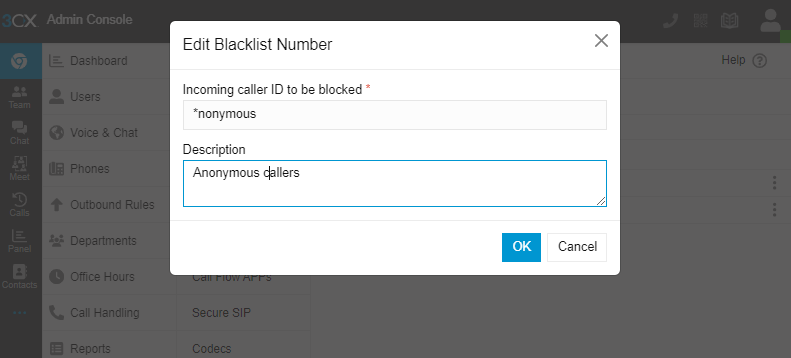
- In the “Blacklist” dialog:
- Set the “Incoming caller ID to be blocked” field to the value “Anonymous” or “anonymous”. In this case, we will set the field to “*nonymous” to match both values (The * will act as a wildcard).
- Set the “Description” field for informational purposes.
- Click “OK” to save.
At this stage, you can check an inbound call and you should see that the anonymous call is rejected correctly. Consider this example
This is a typical INVITE from a caller whose CallerID is hidden:
v: SIP/2.0/UDP 169.11.192.162:5080;branch=z9hG4bK-8b2f242058b3802ce60c00f1db2b8201
f: "Anonymous" <sip:anonymous@169.193.176.35>;tag=3727603634-668969
t: <sip:1631xxxxxxx@ss.callcentric.com>
i: 40335387-3727603634-668939@msw1.telengy.net
CSeq: 1 INVITE
Max-Forwards: 13
m: <sip:d499d4130a8ff5ed6ed0238096db60f6@169.11.192.162:5080;transport=udp>
Proxy-Require: privacy
c: application/sdp
l: 268
Sometimes your telecom provider will deliver the call with “unknown” or some other text instead of “anonymous”. Simply examine the incoming INVITE particularly the “From” field and you can then add or adjust your blacklist rule accordingly.